Transparency
54 / 60 participants90%could not confidently explain why particular stories appeared.
Bachelor thesis / UX/UI / Interaction design
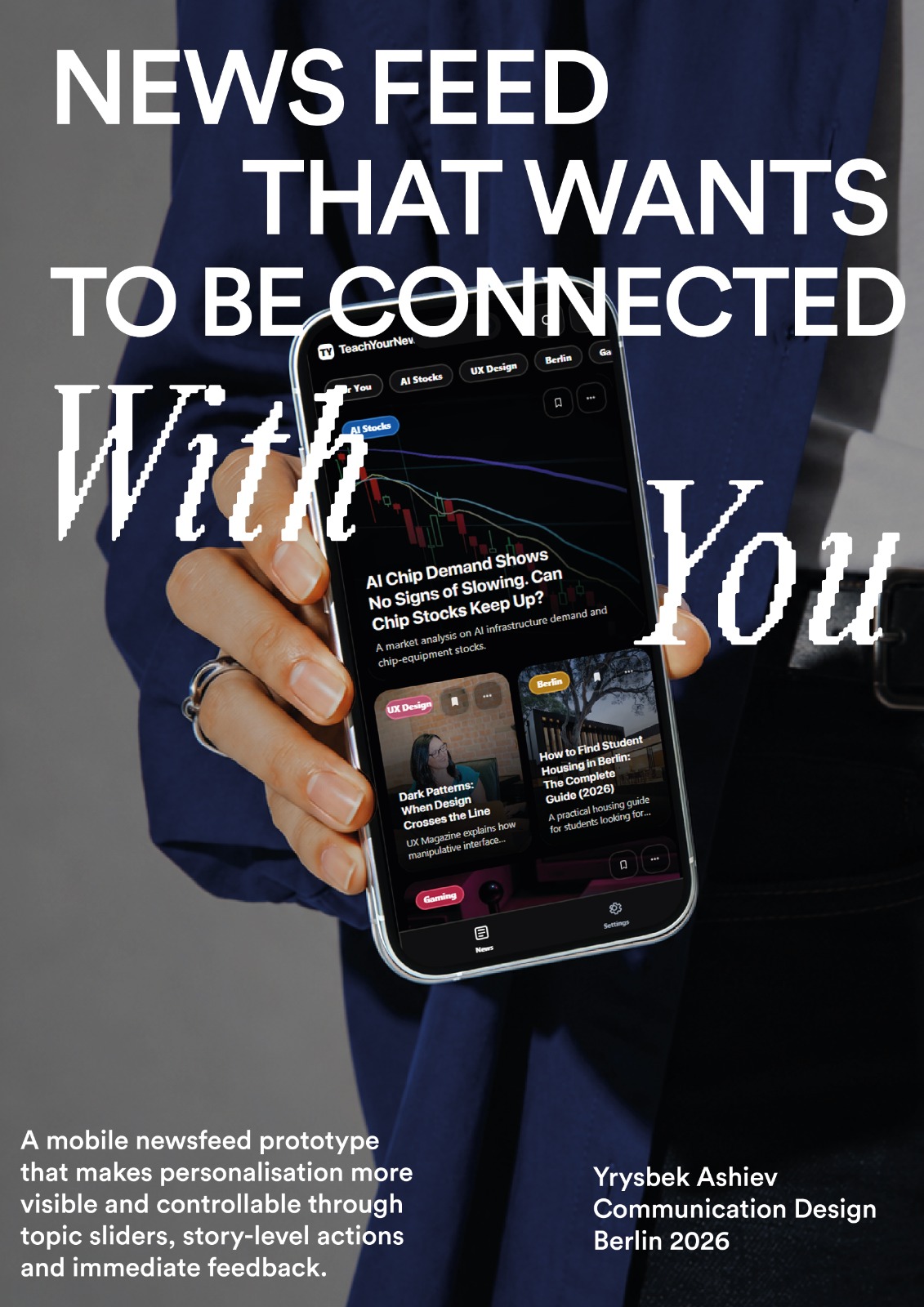
For my bachelor thesis, I designed and built a newsfeed prototype that lets readers adjust topic preferences, correct individual recommendations and see how those choices affect the feed.
How can Gestalt principles make algorithmic news personalisation visible, understandable and controllable?
60 semi-structured interviews with participants aged 18-29, supported by literature and competitor analysis.
A working mobile React prototype with topic sliders, story actions and visible feed feedback.

01 / Problem
News apps rank content algorithmically while controls often sit behind menus or separate settings. Readers may not understand why a story appears, how to influence the feed or whether an action changed anything.
02 / Research
Participants
60 people aged 18-29: 46 students and 14 working professionals.
Format
Individual semi-structured interviews lasting 20-30 minutes.
Analysis
Thematic clustering and affinity mapping around relevance, transparency, feedback and control.
03 / Core insight
The interviews suggested that users did not need technical explanations of recommendation systems. They needed familiar controls, immediate feedback and observable changes in the feed.
could not confidently explain why particular stories appeared.
wanted both topic-level control and quick story-level correction.
expected immediate visible confirmation after changing a preference.
04 / Exploration
The early concept asked users to drag and group story cards spatially. It made the teaching metaphor tangible, but required too much precision on mobile and turned personalisation into a separate task that competed with reading.
05 / Iteration
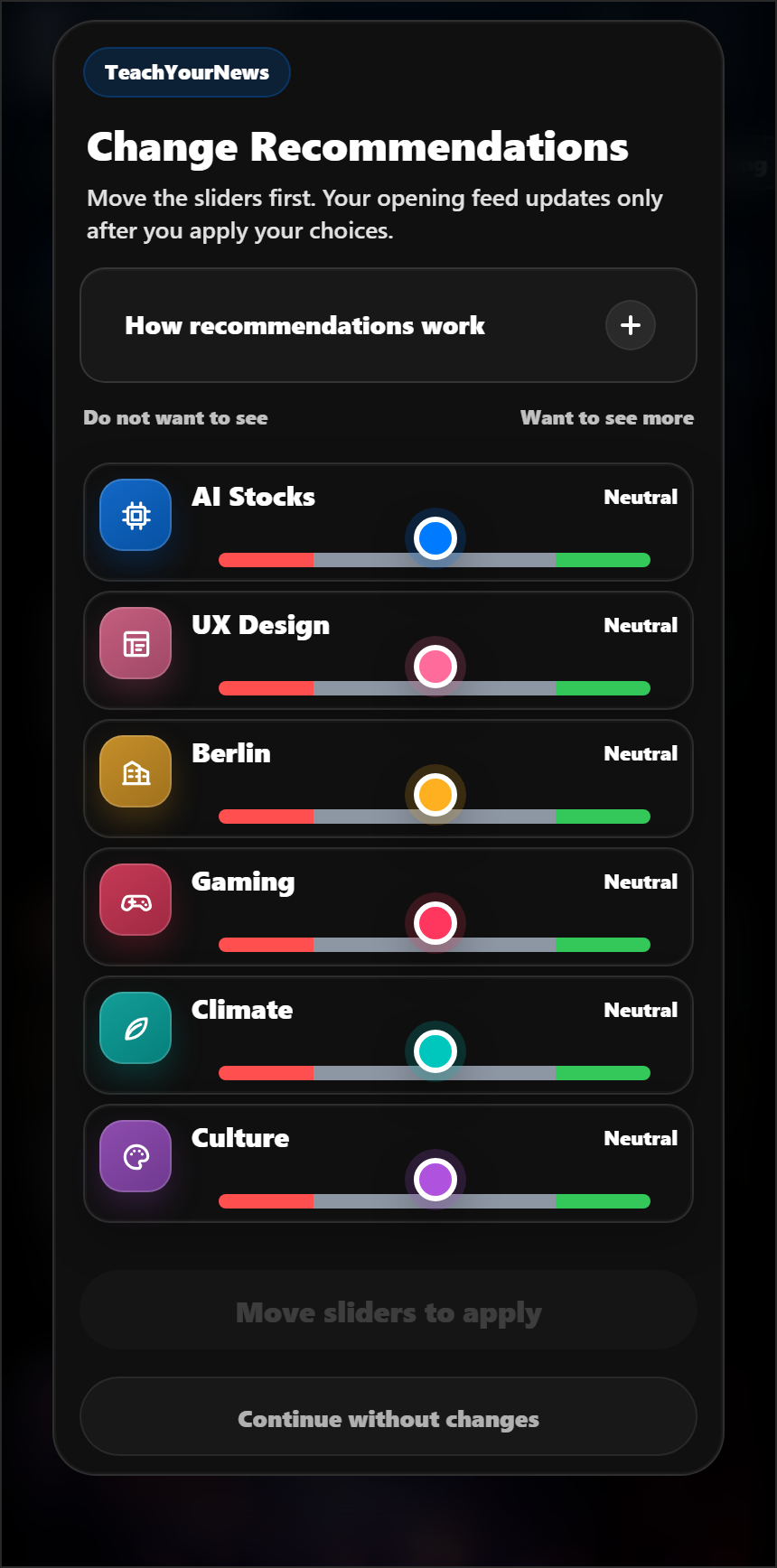
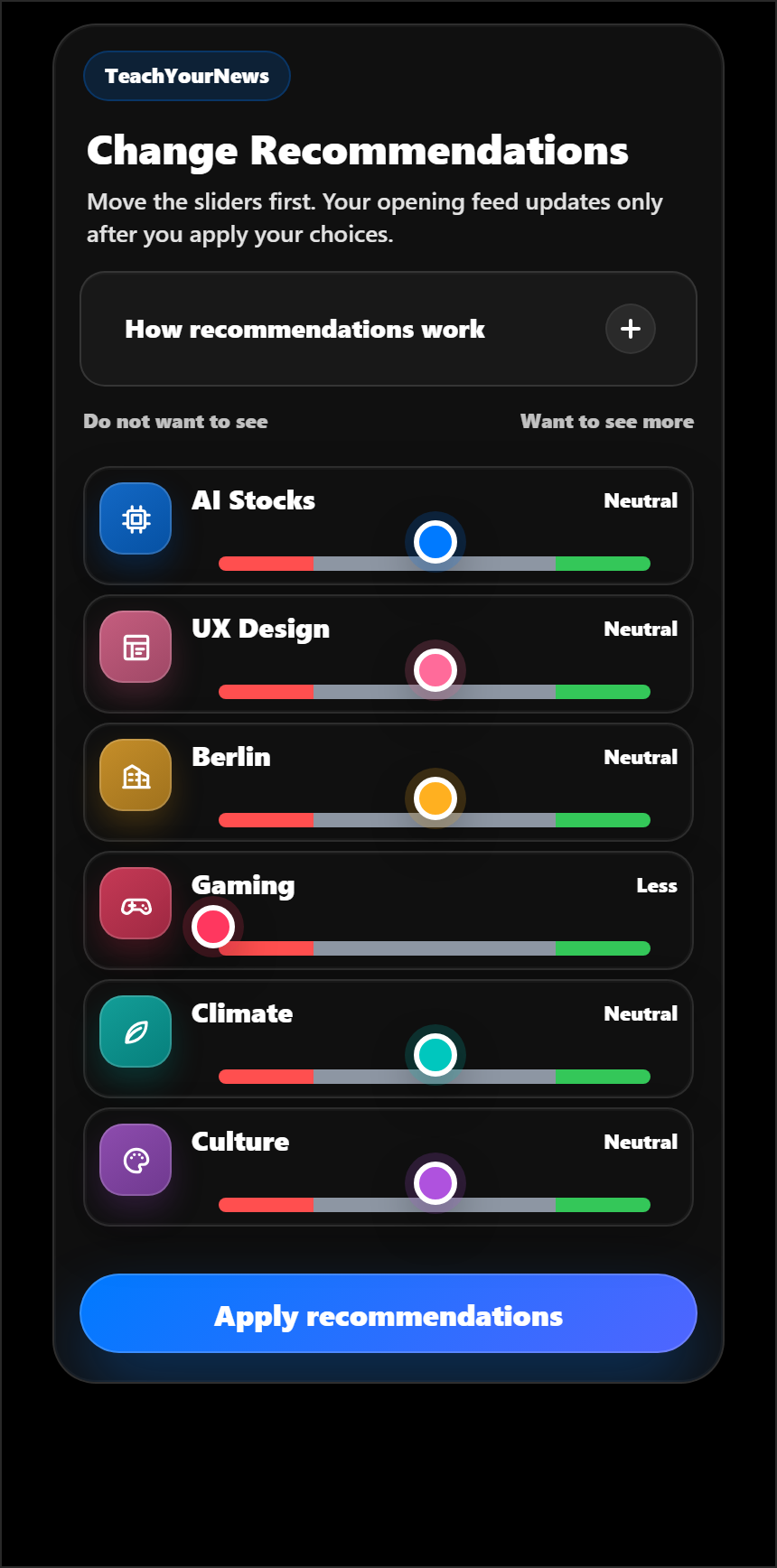
The final direction used continuous sliders with Less, Neutral and More zones. Repeated iterations added semantic colour, explicit labels, visible state, Reset and Apply actions, and confirmation after the feed reordered.
06 / Final model
Topic level
Continuous sliders adjust broad preferences across Less, Neutral and More.
Story level
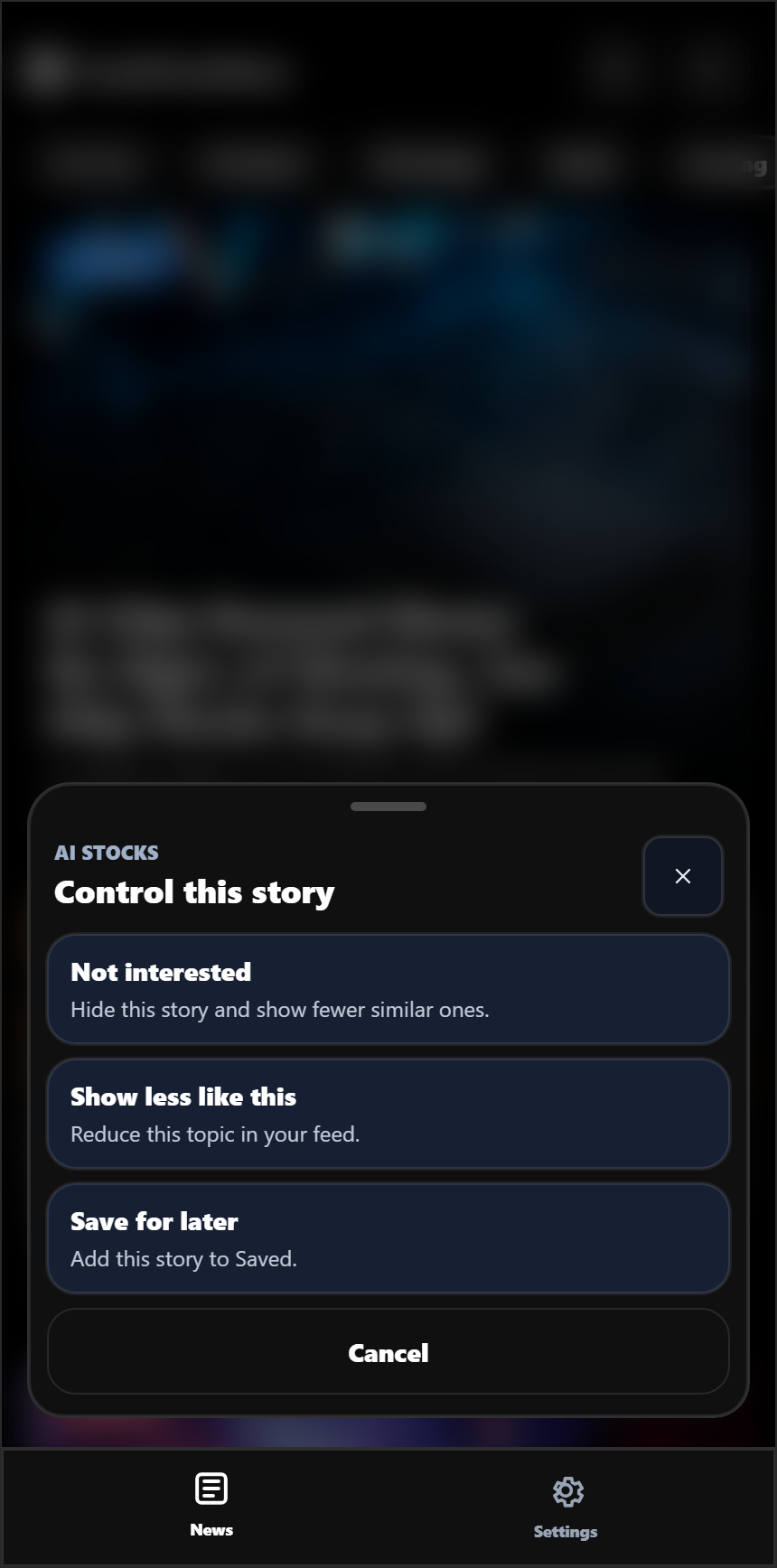
A three-dot menu corrects one story or sends a broader reduction signal.
Feedback
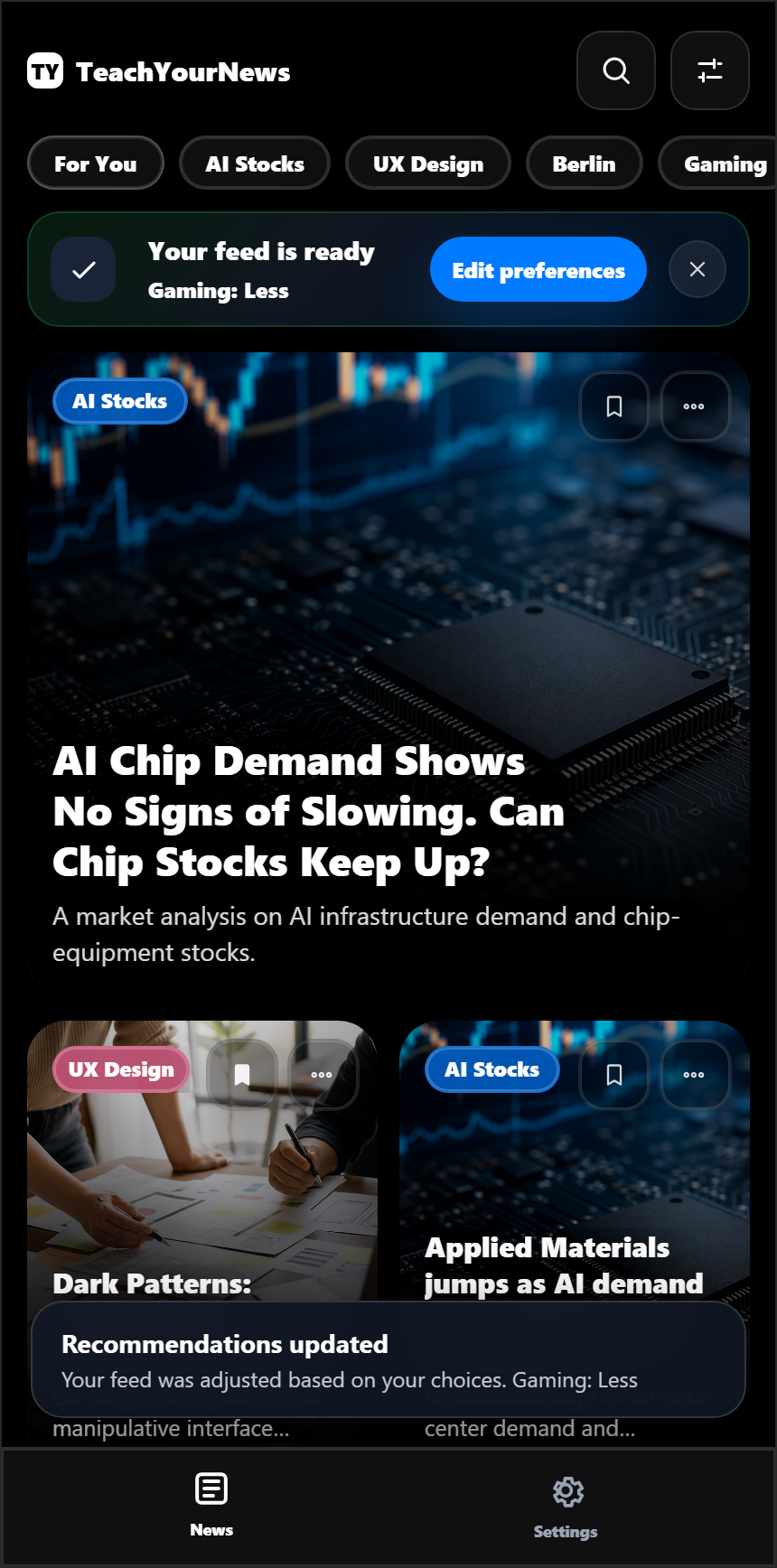
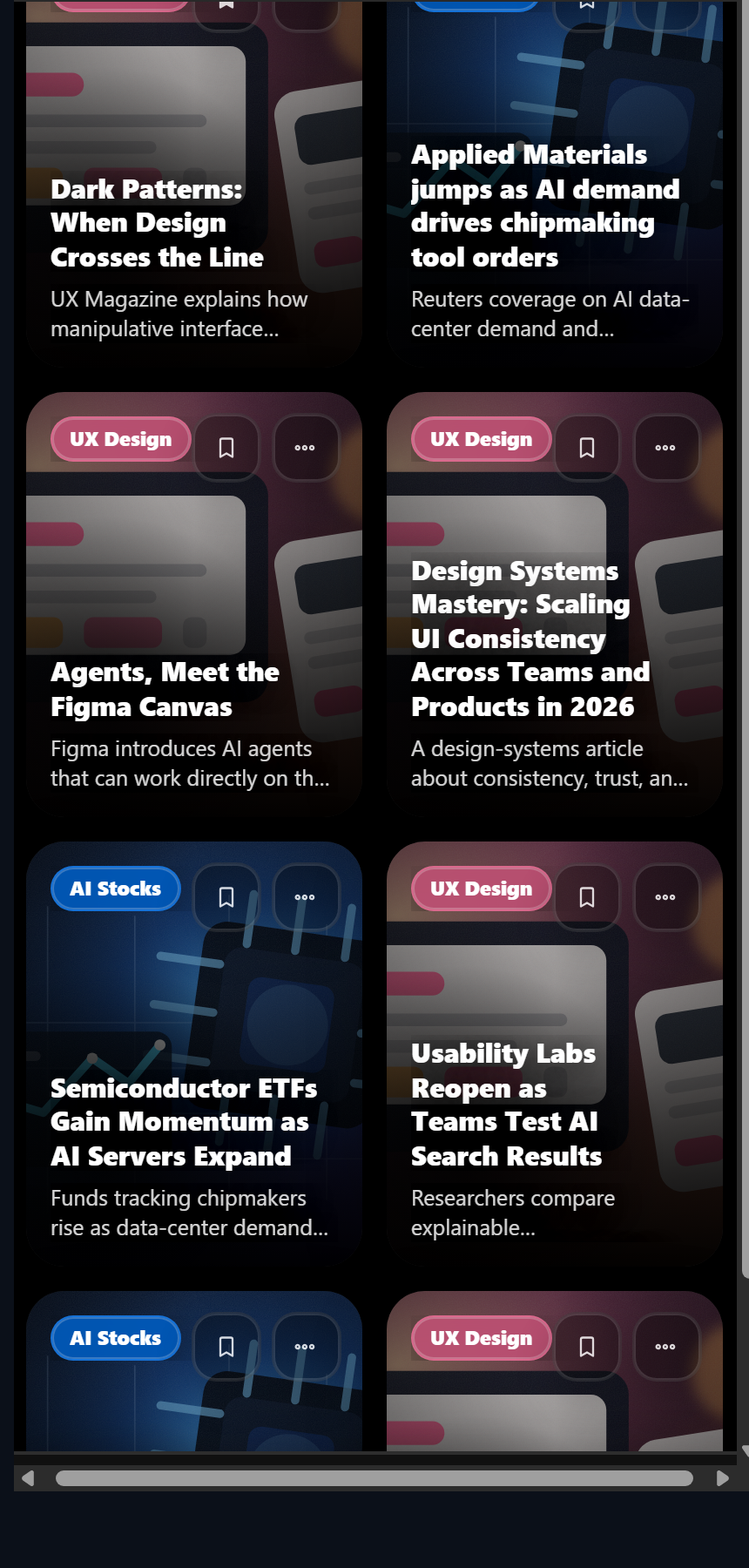
Confirmation appears immediately and the feed reorders without deleting content.
07 / Reading flow
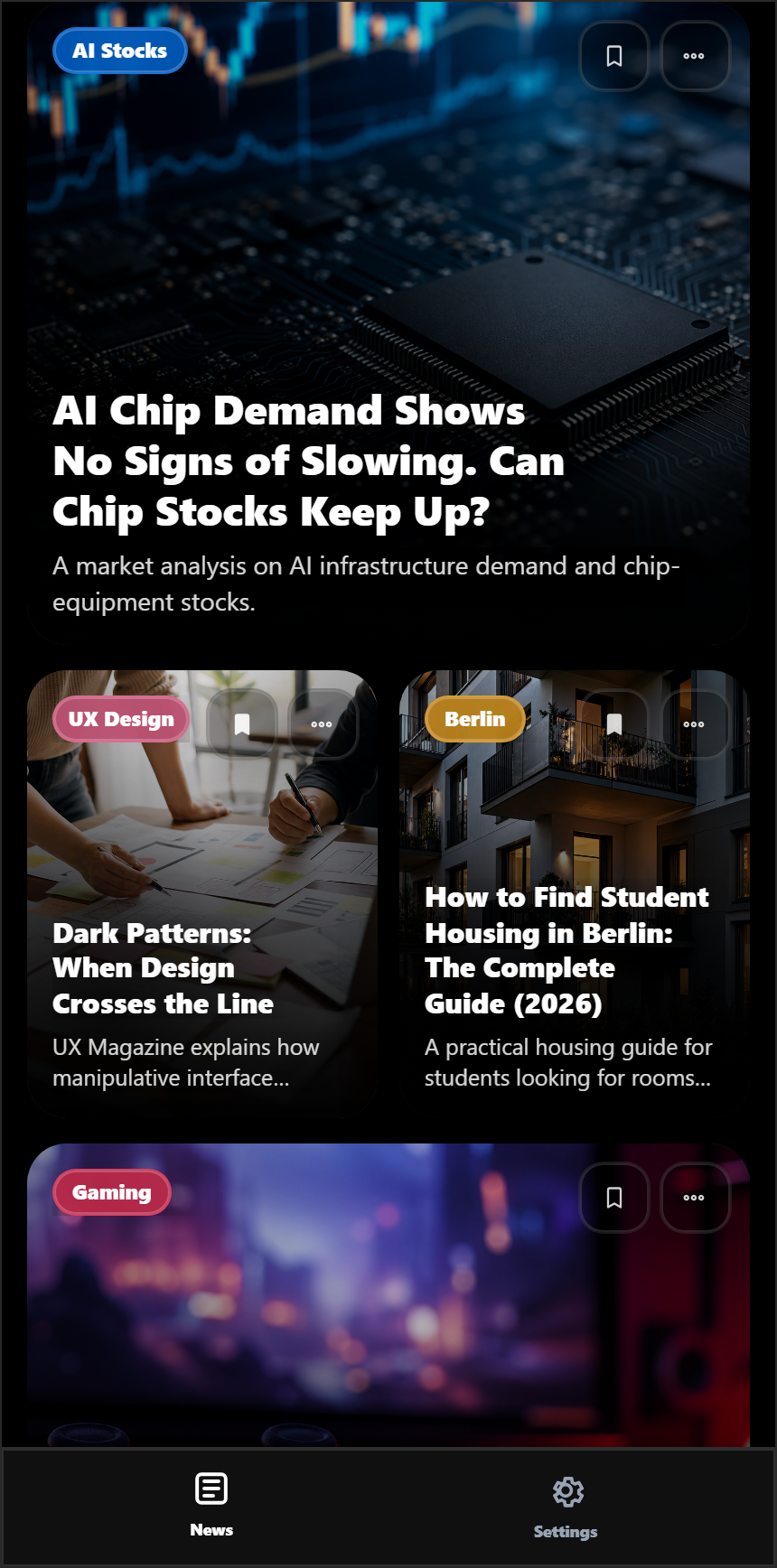
Preference setup is optional, the Home feed stays central and every personalisation surface remains one step from reading. Changes are reversible, and the same slider language appears in onboarding and recommendation settings.
08 / Gestalt
Proximity connects controls to affected content, common region binds each card, similarity creates predictable repeated structures and figure-ground gives temporary emphasis to confirmation.
09 / Reflection
The project translated research into interface decisions and a working prototype. Recommendation behaviour is simulated with a curated dataset, the participant group is limited and perceived control was not formally validated. A usability evaluation would be required to measure the model's effect.
Interactive prototype
The screens below replace presentation slides with the actual prototype states. Select any screen to inspect it at full size.
Product map
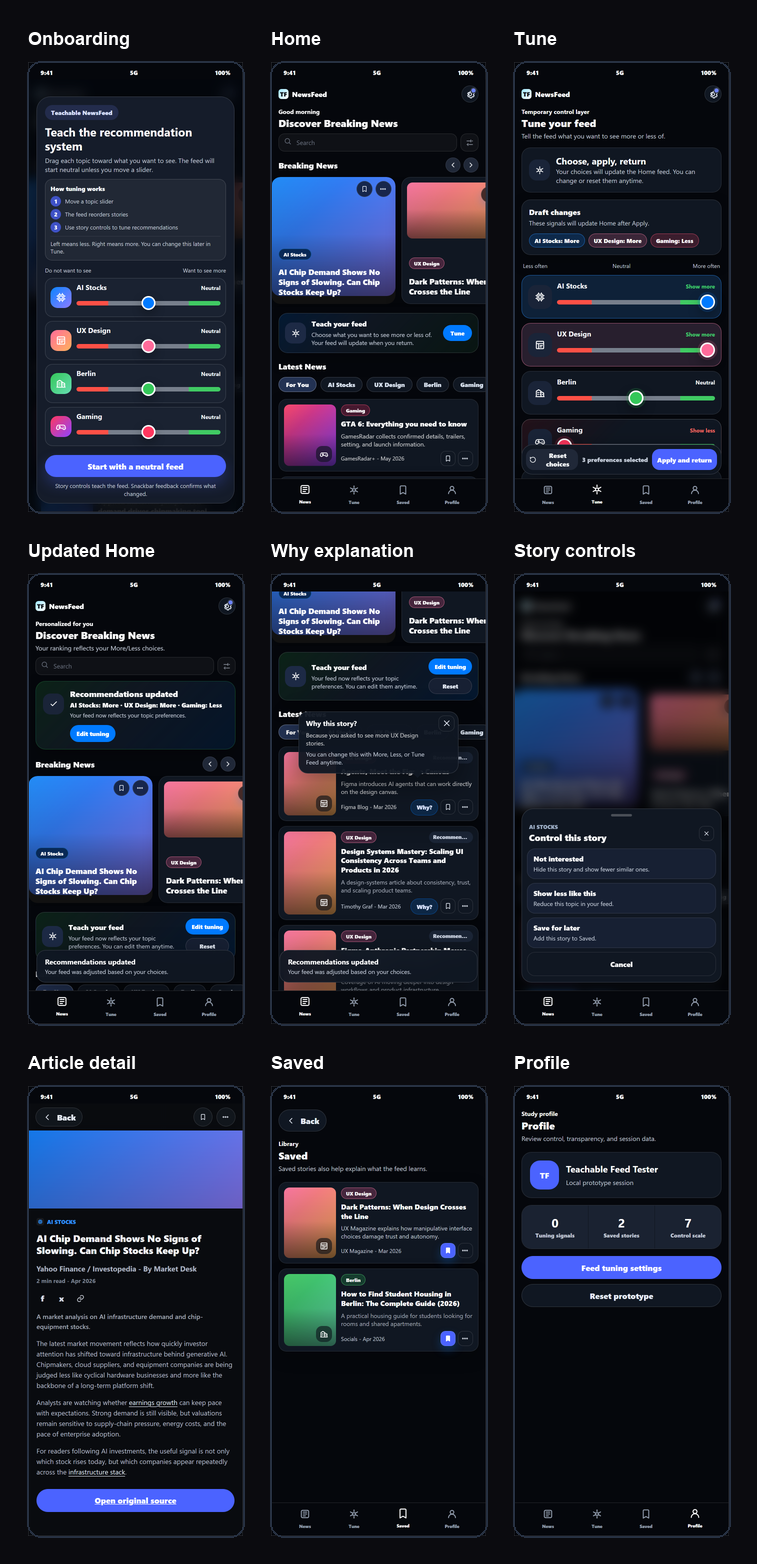
The prototype connects topic-level tuning, story-level correction, explanation, reading and saved content in one mobile system.
01 / Orientation
Onboarding explains what the sliders change before the feed becomes the primary reading surface.
02 / Teach and verify
Users move a topic slider, apply the choice and receive a clear confirmation when the feed updates.
03 / Find and filter
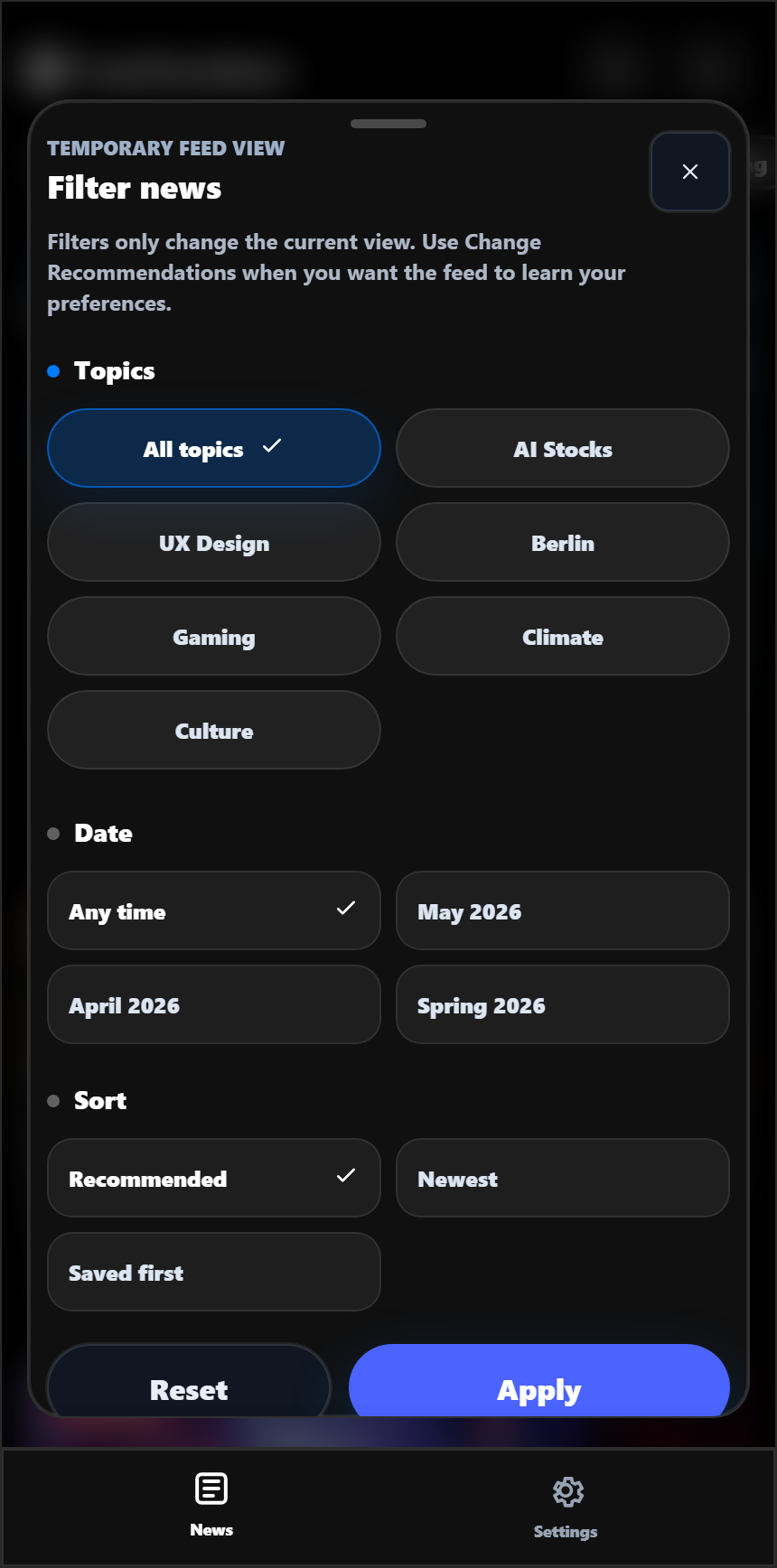
The filter sheet explicitly states that its choices affect only the current view, not the preference model.
04 / Story-level control
Story actions, article detail and follow-up content use the same control language across the journey.

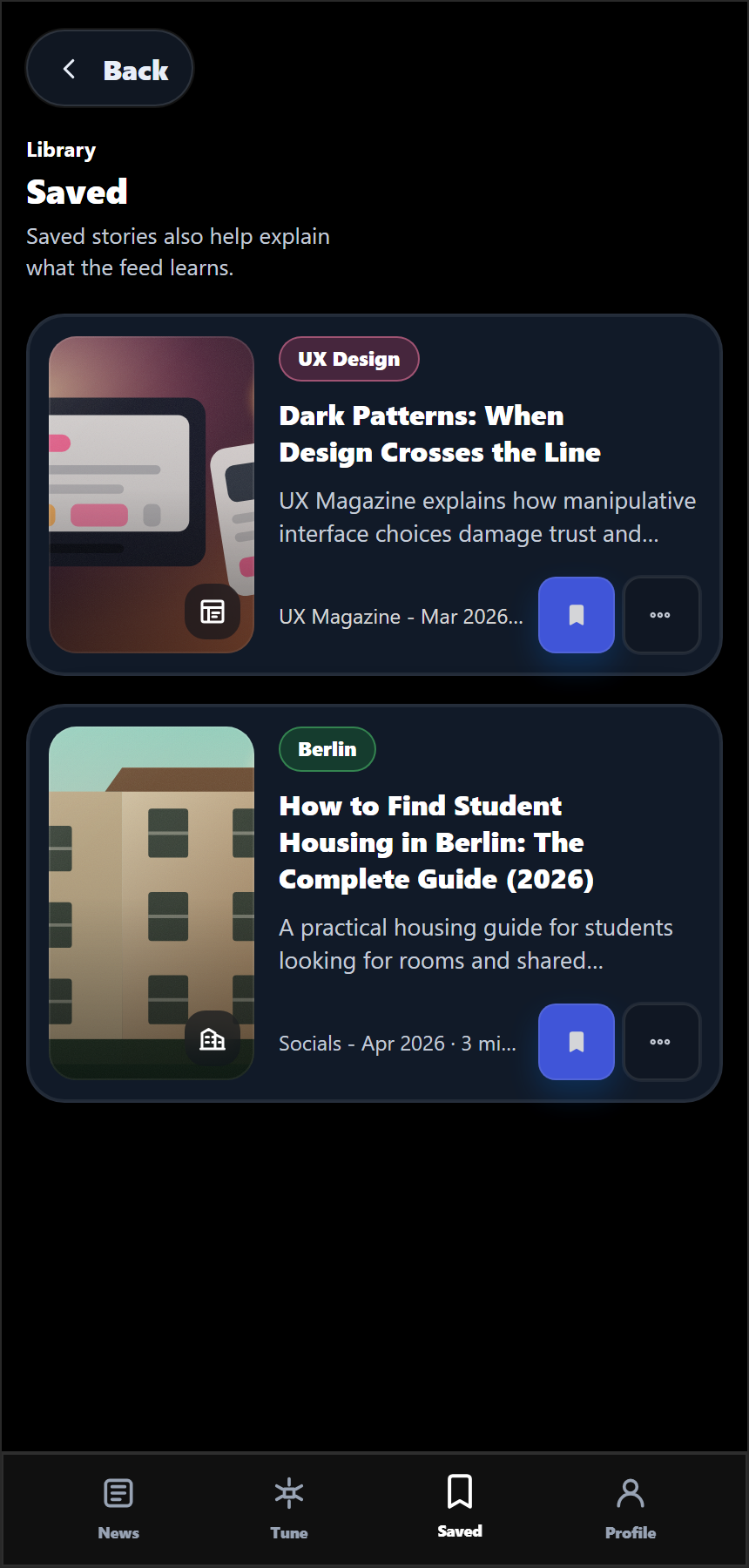
05 / Saved content and profile
Saved stories, profile controls and session summaries give users a place to revisit content and review what the prototype has learned.
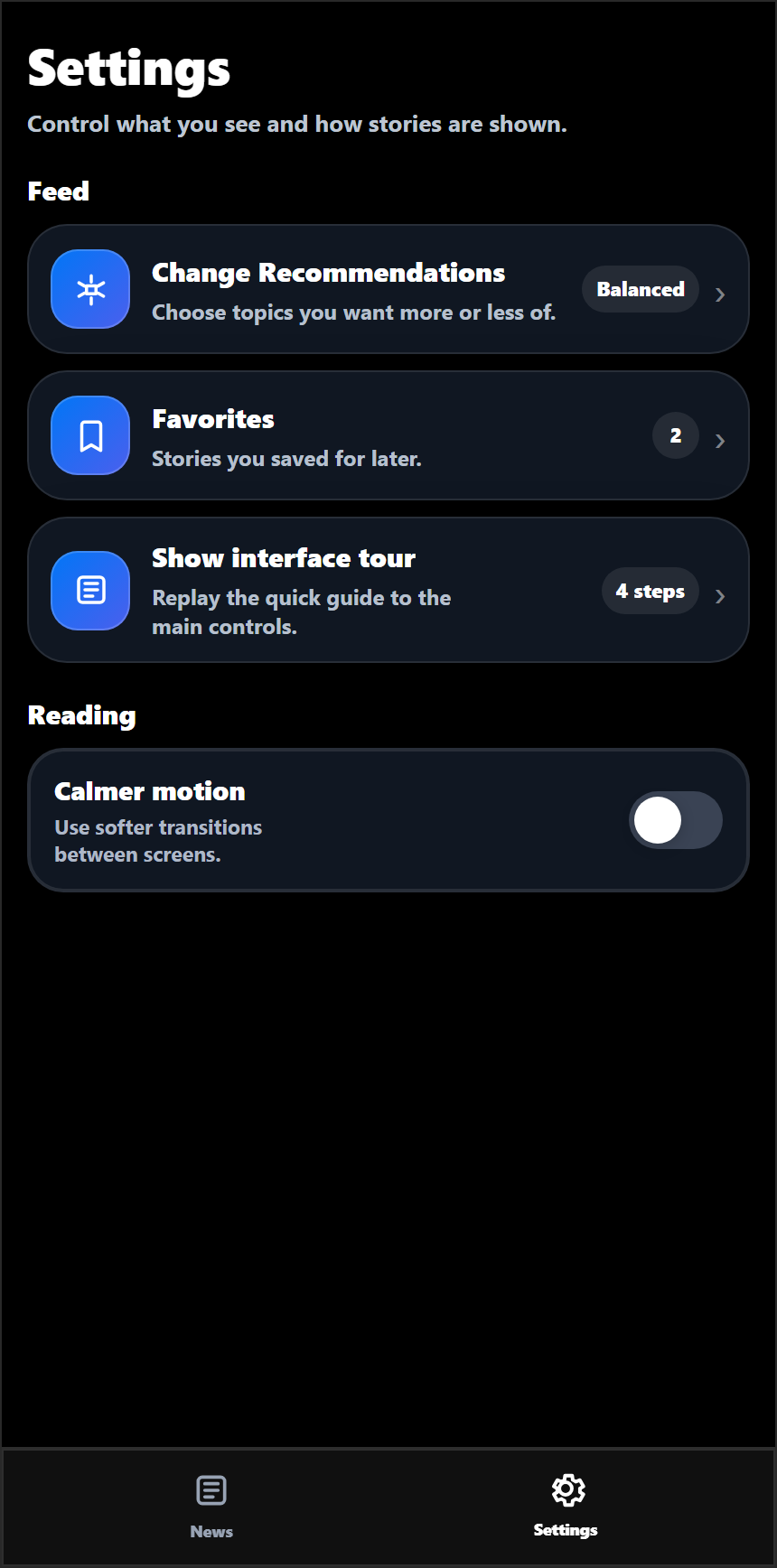
06 / Settings and accessibility
The settings structure includes recommendation access, saved content, interface guidance, text size, explanation visibility and motion preferences.
Interested in research-led interaction and communication design?
Contact Yrysbek